
Database schema history answers the questions every team asks after something breaks: what did the schema look like before, what changed, and which migration did it? FoxSchema keeps two complementary records: Snapshots for the state of a database over time, and Applies for every migration you ran.
Database schema history in Snapshots
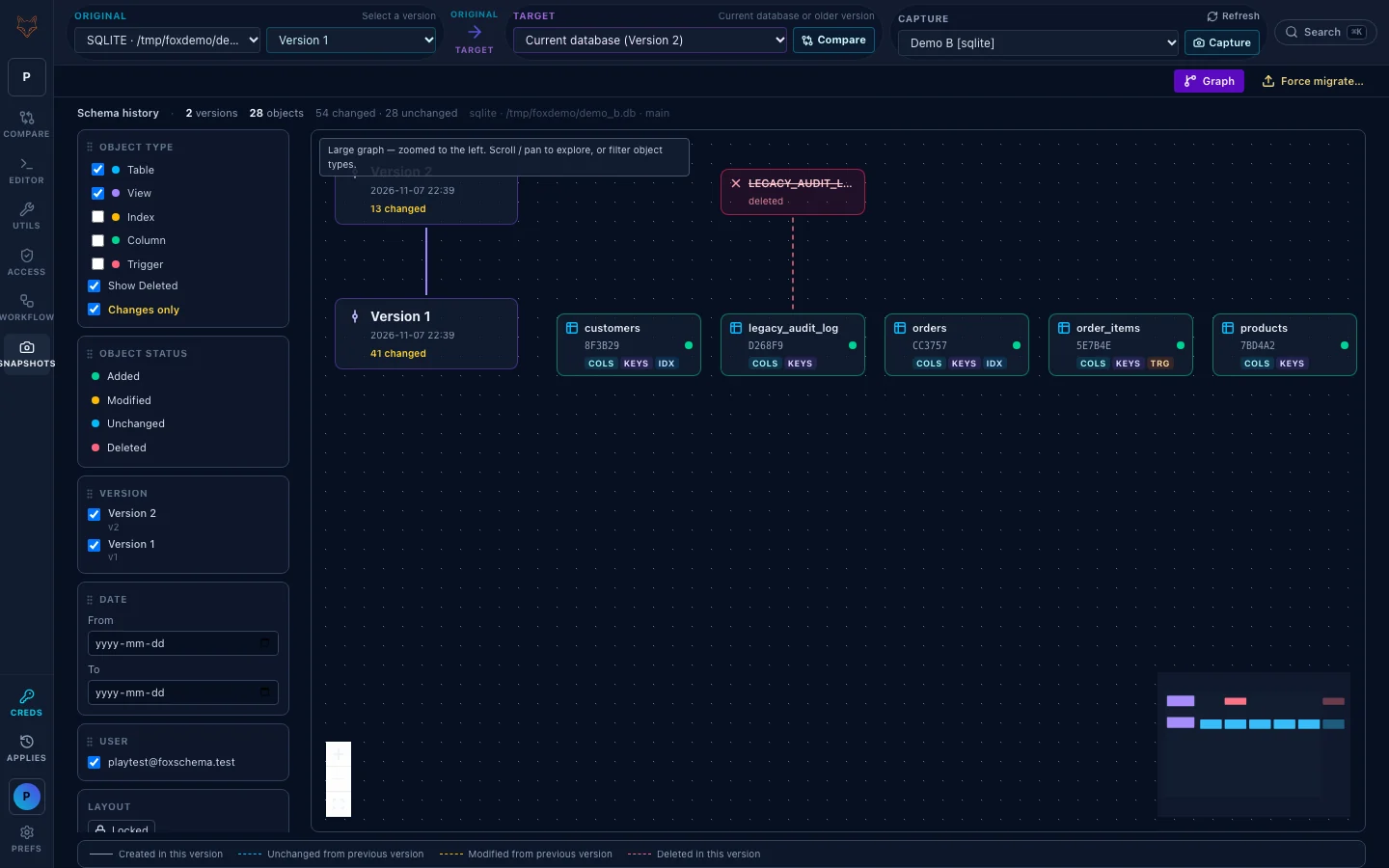
Snapshots tracks versions of one database; it is not a second live connection. Pick a saved connection and click Capture (a brand-new history offers Take first snapshot). Applying a Compare migration also records a version, so the history builds as you work. The screen shows a change-volume chart, a timeline with entries such as "v2 · migrate · 13 changes", and a version graph you can filter by object type, status, version, date and user.
Compare any two versions
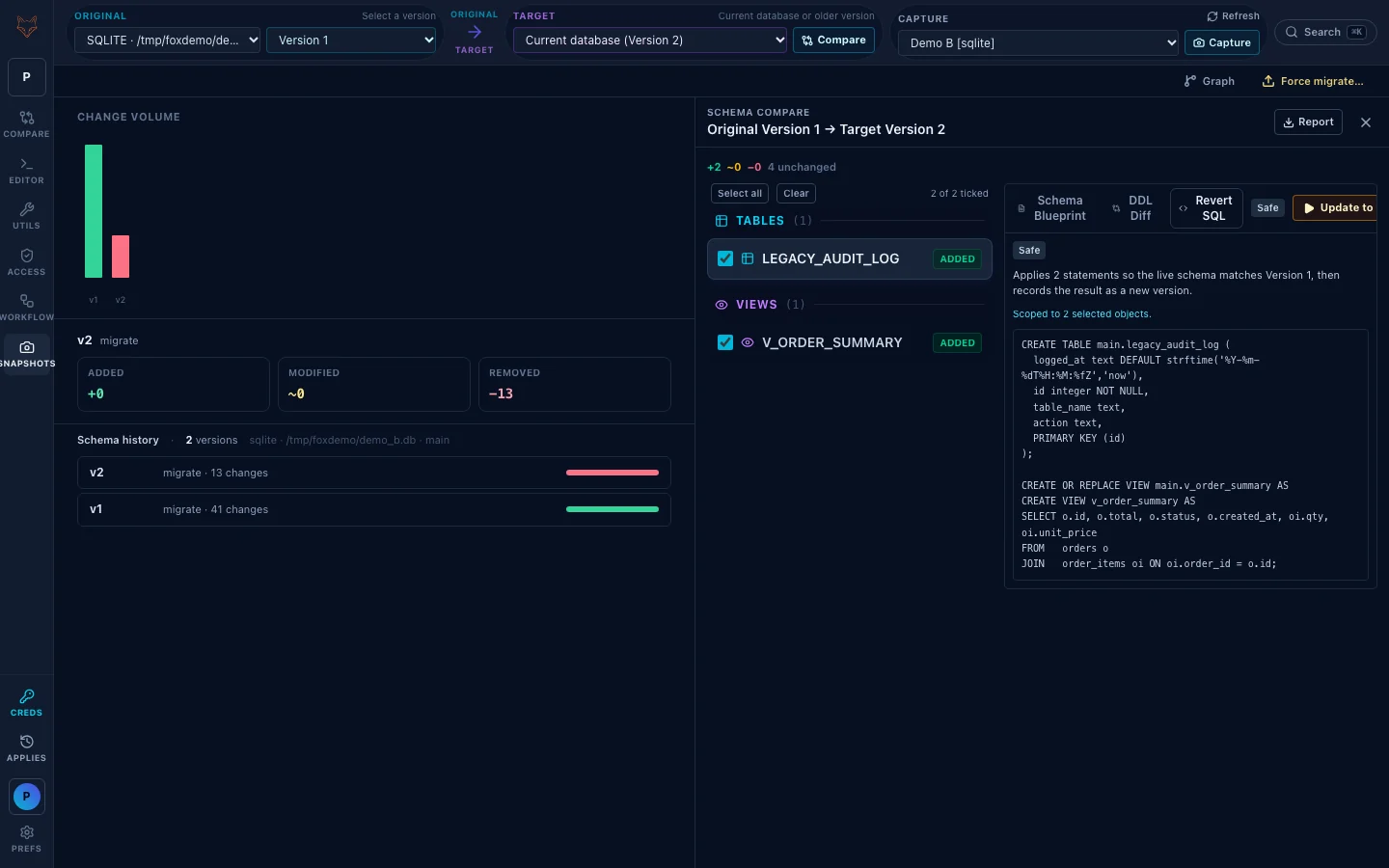
Original and Target work like Compare: Original is a version, and Target is the live database or another version. Click Compare and you get the added, modified and removed objects, with a Schema Blueprint and a DDL Diff for each. Comparing is a preview; nothing is written to the live database.
Revert or update with a plan you review
From a version comparison, tick the objects you want to change (or Select all) and open the Revert SQL tab. It shows exactly what will run, with a risk chip such as Safe. The action button reads Update when the plan only adds, because the database has fallen behind, and Revert when it rolls back.
- Revert always runs against the live database the history was captured from.
- FoxSchema snapshots first, then appends a new version. It never rewrites the version you picked.
- Nothing ticked means nothing runs. A plan that would destroy data needs an extra confirmation, and a blocked plan is refused.
Force migrate: a stored version on another database
Force migrate applies a stored version to a different database, which is handy for standing up another environment from a known-good version. It asks you to confirm that this is not the history's own database, and, separately, to confirm any data loss in the plan. Agreeing to one is not agreeing to the other.
Applies: database schema history of every migration run
The Applies button at the bottom of the left rail opens Migration History. Each Compare migration you execute is recorded with its status (for example Success or Rolled back), the target, the objects and per-object results, the exact script that ran, and the pre-migration snapshot. No passwords are stored. Data migrate keeps its own history in the Editor.
Snapshots or Applies?
- Snapshots show how one database's schema changed over time, and let you move back to a version.
- Applies show what you executed, when, against which target, and how it went.
If an admin makes a Git repository require a commit before migrations run, Revert and Force migrate are turned off, since they change the schema the same way; see database migrations in Git. For the wider picture on undoing changes, read our guide to rollback strategies, and to catch changes nobody recorded, schema drift detection.
The Feature Guide walks through each history screen. Install FoxSchema or self-host it with Docker to try it on your own databases.
Further reading: for more on database schema history, see the schema migration overview.
