
Database schema migration rollback strategies determine whether a bad deploy costs you five minutes or a weekend. Forward migrations get most of the attention, but the plan for reversing one — cleanly, without losing data — is what actually protects production.
Why "just run it backwards" doesn't work
A naive rollback strategy assumes every migration has a mirror-image undo: if the forward step added a column, the rollback drops it. That works for additive changes, but it breaks down fast:
- Dropping a column destroys any data written to it since the migration ran — there is no way to reconstruct those values.
- Renaming a table or column and then "renaming it back" can collide with new writes that already assume the new name.
- A migration that populates a new column from existing data (a backfill) has no automatic inverse — you'd need to know which rows were touched and what their prior state was.
The fix isn't a cleverer rollback script. It's designing migrations so rollback is rarely destructive in the first place, and treating the cases where it is destructive as a distinct, higher-risk category.
Reversible vs irreversible changes
Split every migration into one of two buckets before you write it:
- Reversible — adding a nullable column, adding an index, creating a new table, widening a column's type. The rollback is a straightforward DDL statement with no data loss.
- Irreversible — dropping a column or table, narrowing a type, removing a constraint that other rows now violate, any backfill or data transformation. Rolling these back means restoring data, not just structure.
The expand/contract pattern exists specifically to convert irreversible-looking changes into reversible ones: you add the new shape alongside the old one, migrate reads and writes over, and only drop the old shape once you're confident you won't need to go back. The "drop" step becomes a separate, low-stakes migration run well after the risky part has already proven itself in production.
Snapshot before you migrate, not after you fail
For migrations that remain genuinely irreversible, the only reliable rollback is restoring data from a snapshot taken immediately before the migration ran. Waiting until something goes wrong to think about backups is how a ten-minute rollback turns into a multi-hour incident.
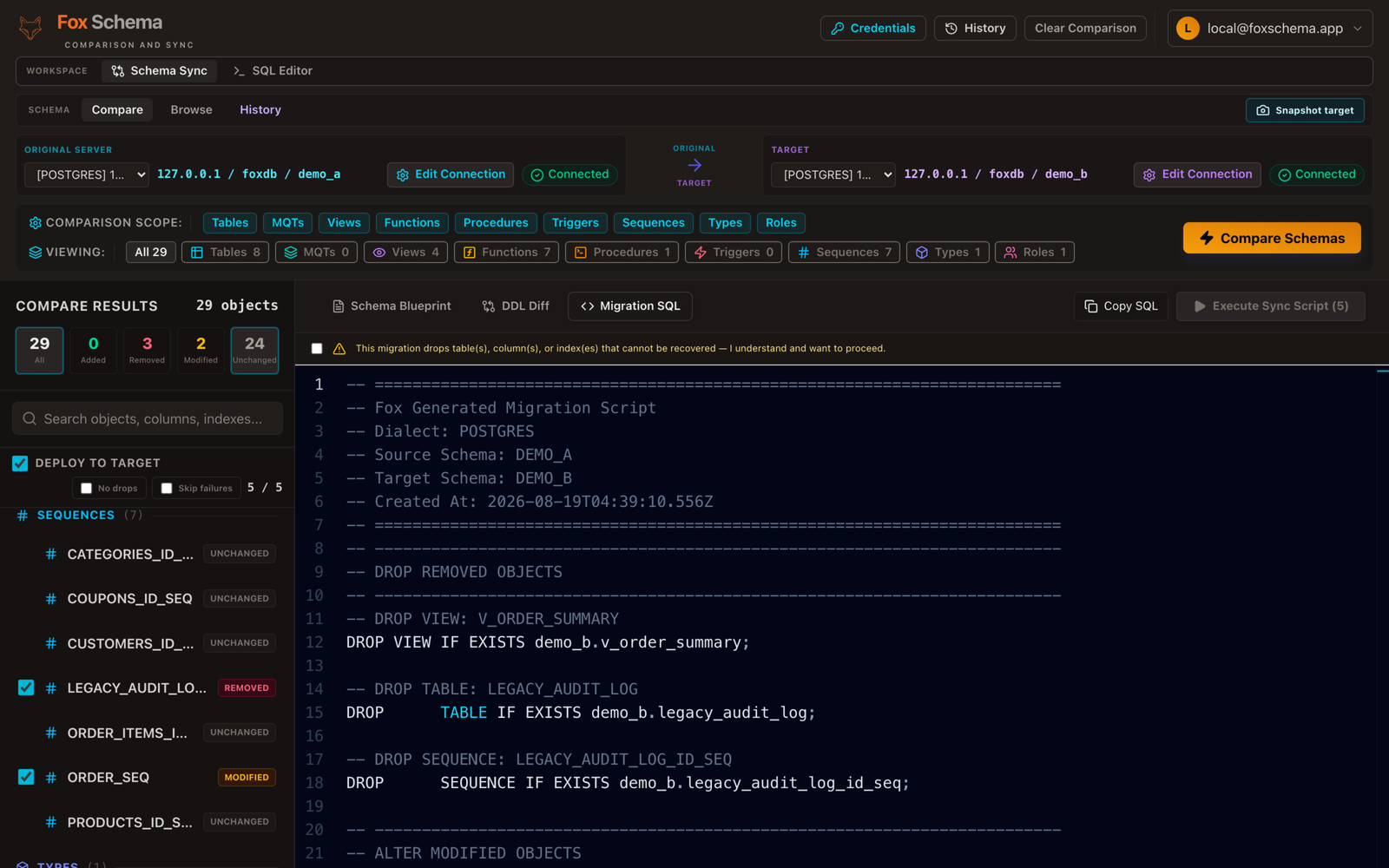
This is why FoxSchema takes a pre-migration snapshot of affected destination rows automatically and runs in dry-run mode by default, so you review the generated SQL before anything touches the target schema. If a statement fails partway through, skip-on-error mode records the failure and lets the rest of the batch continue, instead of leaving the migration half-applied. See the docs for how dry-run and snapshots fit into the apply flow.
Test the rollback, not just the migration
A rollback script that has never been run is a hypothesis, not a plan. Two practices catch most of the gaps:
- Run migrate-then-rollback in CI against a disposable database. Apply the forward migration, apply the rollback, then diff the schema against its pre-migration state. Any leftover column, index, or constraint means the rollback is incomplete.
- Rehearse against a production-sized copy. A rollback that takes eight seconds on a 500-row staging table can take twenty minutes on a 50-million-row production table if it involves a full rewrite — see large-table ALTER strategies for why table size changes the calculus for both the forward and reverse operation.
Application code has to tolerate both schema versions
Rollback isn't just a database operation — during the rollback window, some application instances may still run code written for the new schema while others have already reverted. This is the same constraint that makes zero-downtime deploys hard: the schema and the application code are never atomically swapped together, so each must tolerate the other's adjacent version for a period.
Practically, that means don't remove a column from the schema until no deployed code reads or writes it, and don't ship application code that assumes a column exists until the migration adding it has fully rolled out. A rollback plan that only accounts for the database half of this will pass a database-level test and still break in production.
Keep a rollback runbook, not just a script
For any migration touching a table that matters, write down — before you run it — what the rollback command is, what data it cannot recover, who to page if it's needed, and how long it takes on production-sized data. Mid-incident is the worst time to derive this from first principles. Recording exactly which statements ran, in what order, and against which snapshot — FoxSchema keeps this as per-run history — turns "what do we even roll back" from a guess into a lookup.
Comparing schemas and previewing the exact DDL before you apply it is the first step toward migrations you can actually reverse with confidence. Self-host FoxSchema in Docker or see the install page to try dry-run mode and snapshot-backed migrations on your own database.
