
Keeping database migrations in Git turns a script pasted into a chat into a reviewed, replayable record. FoxSchema can commit a migration as a plain SQL file and then run it from that exact commit, so what your team reviewed is what reaches the database.
Why keep database migrations in Git
Without version control, the script that ran in production is whatever was on someone's clipboard. With it you get review before the change, a history you can read afterwards, and the same file applied in every environment. FoxSchema adds the missing piece: the commit and the execution stay linked.
One-time setup (an admin)
An admin adds a Git repository under Access control → Git; FoxSchema keeps a bare local copy and can fetch, pull and push it. Who can see it limits a repository to some app roles, and Activity lists who added or changed it and who created branches, committed, pushed and pulled. Everyone pushes with the repository's one token, so Activity is the record of who acted.
Commit a migration
- Build your migration in Compare and open it.
- Click Commit to Git, next to Execute.
- Choose the repository and a branch, or New branch…, which starts from the repository's default branch.
- Write a note. It becomes the commit message, so say what the migration does and why.
- Review the file FoxSchema will add, for example
migrations/20261002-153012__your-note.sql. It is plain SQL anyone can read and run, with the plan's steps kept in comments so FoxSchema can later run exactly those steps. - Click Commit, or Commit & push to send it to the remote for review.
Passwords in account statements are replaced with <password> and never reach the repository. If FoxSchema cannot tell how a password is written, it refuses the commit and names the line.
Commit database migrations in Git
After you commit, Execute reads Execute committed followed by the commit id and runs the migration from that commit: the database gets exactly what was committed. Change the selection afterwards and the commit no longer describes the plan, so Execute goes back to the plan on screen.
An admin can make a repository require a commit. Then nothing runs until the plan is committed, and Revert and Force migrate in schema history are turned off, since they change the schema the same way. Statements run in the SQL Editor or by workflows are not covered by this rule.
Run what your team committed
Open Applies, then Git, to see a repository's branch:
- Fetch gets the remote's branches and shows how far behind or ahead you are.
- Pull brings the branch up to date. If both sides changed it, FoxSchema makes a merge commit; if the same file changed on both sides it stops and changes nothing.
- Push sends your commits. If the remote moved on, pull first.
- Each migration is marked Applied to the target you are connected to, or Incoming when it has not run there. Review shows the file; Run applies an incoming migration from its commit, with the same confirmation and progress as Execute.
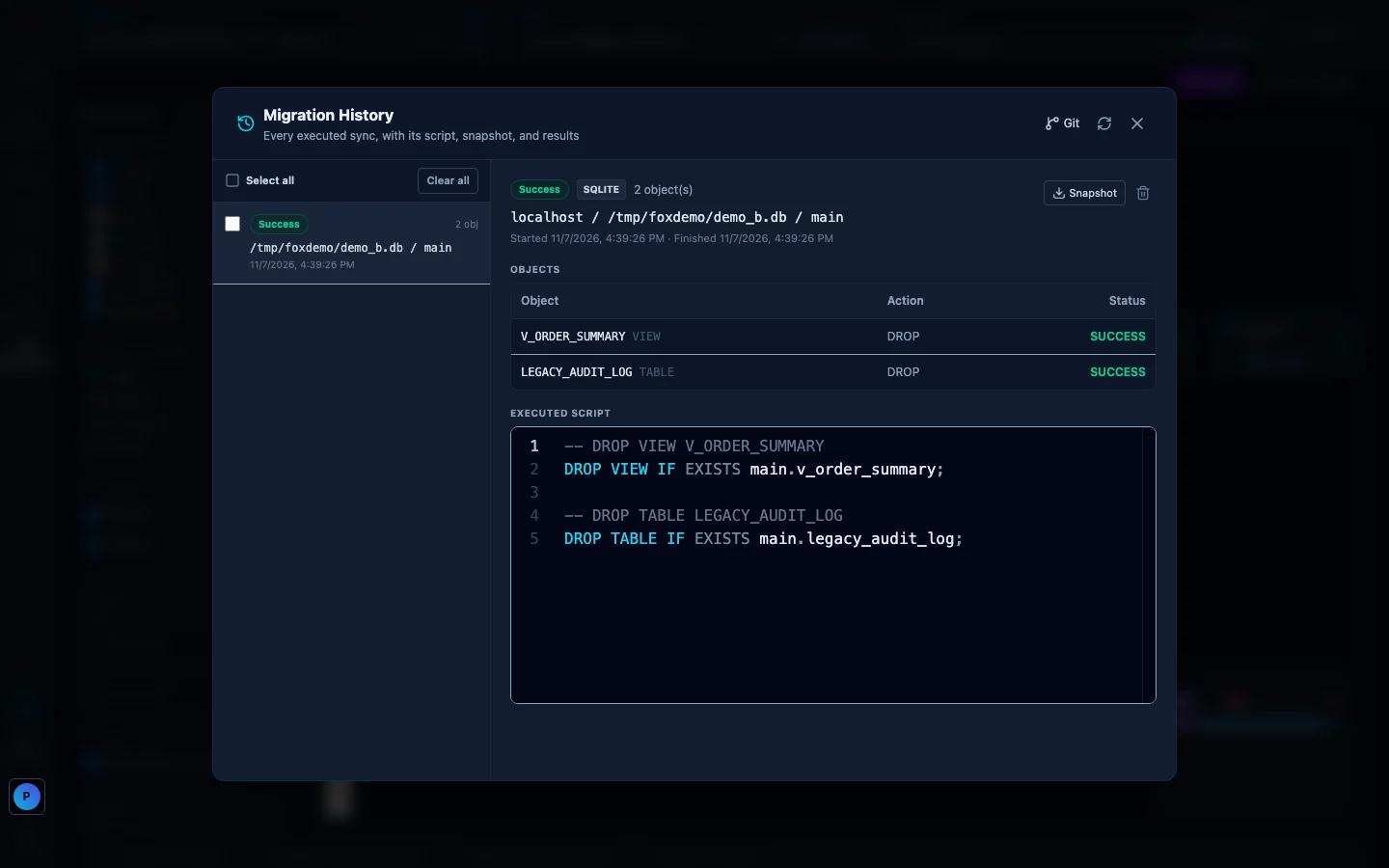
FoxSchema remembers what ran
FoxSchema records which migration ran against which database, permanently, so an old migration never shows up as incoming again. Pair this with schema checks in CI/CD and a habit of keeping staging and production in sync, and migrations stop being a surprise.
The Feature Guide has the short version of this walkthrough. Install FoxSchema or self-host it with Docker to try it on your own databases.
Further reading: for more on database migrations in Git, see the Git documentation.
