
"It worked on staging" is usually a schema problem. When your staging and production databases fall out of sync, deploys break in ways that are hard to reproduce. Here is how to keep them aligned.
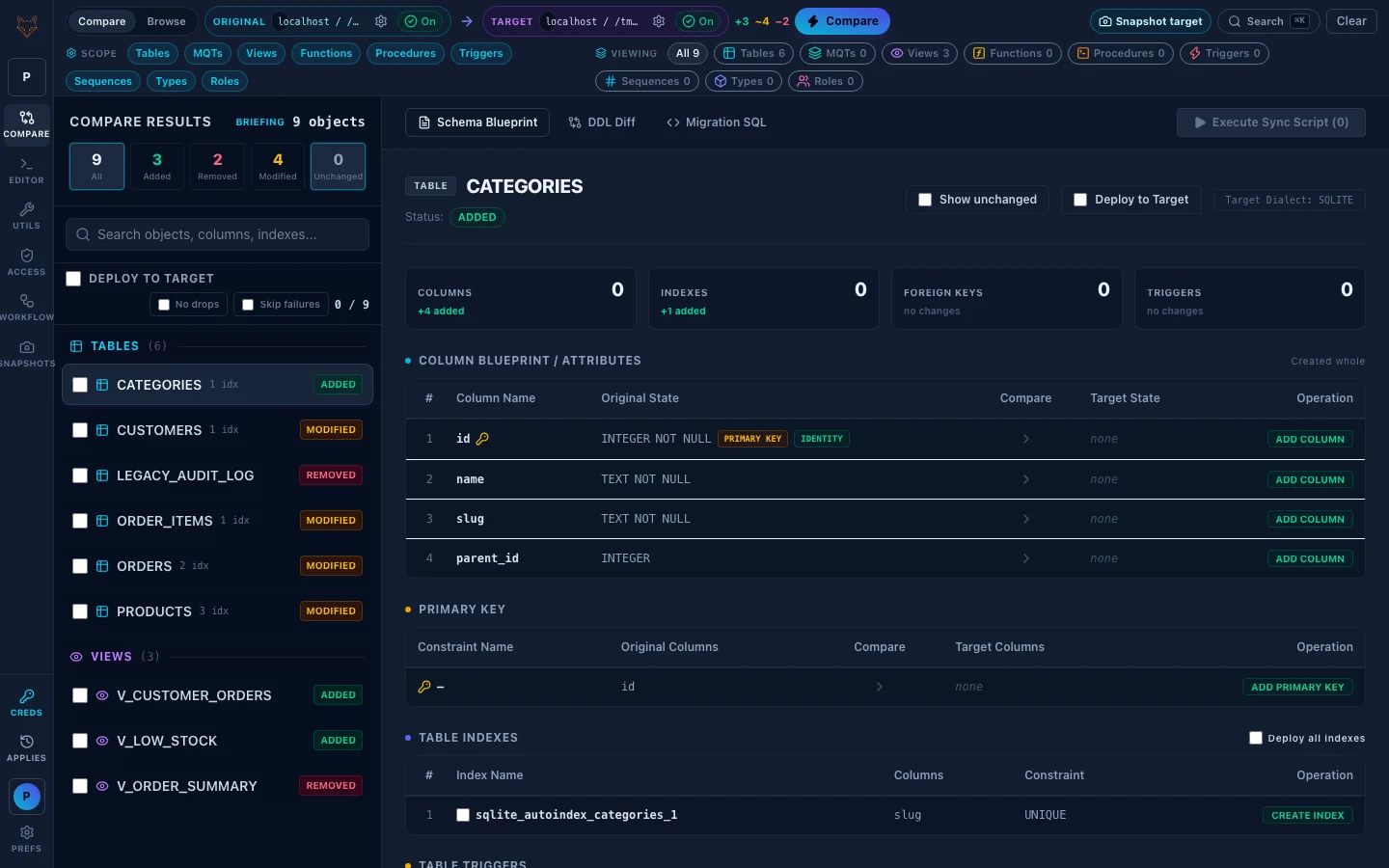
Keep databases in sync by verifying the schema, not assuming it
Most teams assume that because migrations ran, every environment matches. In practice, out-of-band hotfixes, rolled-back deploys, and skipped migrations create schema drift. The fix is to verify the two schemas match rather than trust the process.
Add a schema check to your release checklist
Before promoting a release, run a comparison between staging and production. A clean diff means it is safe to ship; any differences are a checklist to resolve first. This one step catches the majority of environment-specific failures.
Automate how you keep databases in sync
- Pre-deploy gate — compare environments and fail the pipeline on unexpected drift.
- Scheduled check — a nightly comparison surfaces out-of-band changes early.
- Post-incident — confirm environments are back in sync after any manual intervention.
Generate the fix, do not hand-write it
When a comparison finds drift, generate the migration SQL to bring the lagging environment in line — reviewable DDL in the target's dialect, applied with a snapshot. Then re-run the diff to confirm a clean result.
How to keep databases in sync after an emergency fix
Emergency hotfixes are the usual reason databases fall out of sync: someone adds an index or a column directly in production and never replays it anywhere else. To keep databases in sync, record every manual change in a migration file the same day, then run a schema comparison against staging to confirm nothing else has drifted. Treat any difference nobody can explain as a bug to investigate, not noise to ignore, and repeat the comparison after every release so small gaps never pile up.
One tool for it
FoxSchema compares two databases and generates the migration to sync them, across 14 SQL dialects. Download it or self-host the web app and wire a check into your pipeline.
Further reading: for more on keep databases in sync, see the schema migration overview and the continuous integration overview.
