
Most "top 10" roundups of the best database migration tools compare pricing pages and call it a day. The more useful question is what actually separates a basic schema tool from an advanced schema migration tool — because that distinction is what determines whether a migration is safe to run against production or something you only trust on staging.
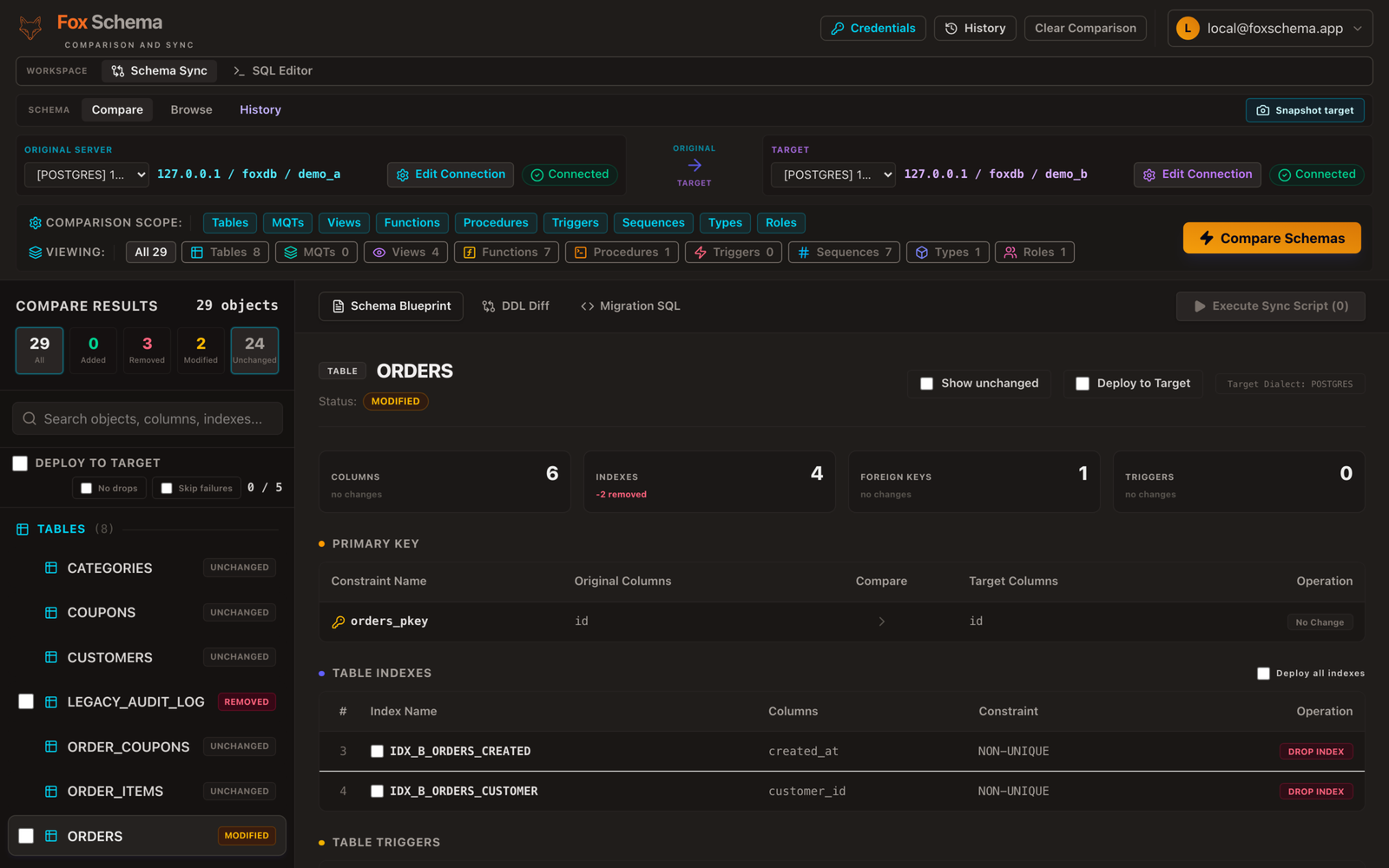
Generated SQL you can read, not a black box
A basic tool applies changes directly. An advanced one shows you the exact DDL it's about to run — in your target dialect's real syntax — before anything touches the database. That preview step matters because generated migration SQL sometimes differs from what you'd expect: a column rename might come out as a drop-and-add on one engine and a native RENAME COLUMN on another, and index or default-value nuances vary by dialect too. If a tool can't show you the SQL first, you're trusting it blind.
Cross-dialect awareness, not just cross-dialect syntax
Translating VARCHAR from MySQL to PostgreSQL is the easy 80%. The harder, more advanced part is not false-flagging types that are functionally equivalent but spelled differently, and being upfront about what won't translate cleanly at all — views, user-defined types, and stored procedures/functions/triggers usually need manual review regardless of tool. A readiness signal that separates "tables, columns, keys, and indexes: safe to automate" from "objects that need a human" is a good marker of a mature tool, across dialects like PostgreSQL, MySQL, MariaDB, SQL Server, Azure SQL, Oracle, IBM Db2, SQLite, ClickHouse, and Redshift.
Safety features that assume something will go wrong
The features that matter most rarely show up on a feature-comparison table, because they're the ones you hope never to need:
- Dry-run by default — nothing executes until you explicitly apply it.
- Pre-migration snapshots — the affected rows are captured before the change runs, so a bad migration is recoverable, not just detectable.
- Skip-on-error mode — one failing statement in a batch doesn't leave the whole migration half-applied with no record of what happened.
- A migration history log — a record of exactly which statements ran, in what order, against which snapshot, so a rollback isn't a guess. See our notes on rollback strategies for why this matters more than a rollback script alone.
Fits into how you already ship
An advanced tool doesn't require a separate workflow bolted onto your existing one. That means being able to compare two schemas and generate the migration SQL from the command line, wire that comparison into CI so drift gets caught before deploy, and run the same checks whether the target is a colleague's laptop or a self-hosted production instance — not just a desktop GUI you have to run by hand.
Open source and self-hostable, not a black box you can't audit
Being able to read the source, run it in your own infrastructure, and never send schema or credentials to a third party is itself an advanced-tool trait, not a nice-to-have. FoxSchema is Apache-2.0 licensed and built around exactly the criteria above: dry-run by default, pre-migration snapshots, skip-on-error, and cross-dialect diffing across ten engines with a readiness panel showing what's safe to automate.
Self-host FoxSchema in Docker or see the install page to try it against your own schema before deciding which tool earns a place in your pipeline.
