
Most cross-platform database work moves away from Oracle, but the opposite direction is real: teams consolidating onto an existing Oracle estate, or meeting a vendor application's platform requirement, need a SQL Server to Oracle migration that starts with the schema. The two engines disagree on types, identifiers, and NULL semantics in ways that quietly change application behaviour if you map them carelessly.
Why This Direction Happens
The usual drivers aren't technical preference. A company standardises on Oracle after an acquisition, a packaged ERP or industry application only certifies against Oracle, or a regulated workload has to sit on the same platform as everything else in the estate. Whatever the reason, the schema is the part you can plan precisely — data movement and application changes both depend on getting it right first.
Mapping the Data Types
Type mapping is where most of the silent damage happens. SQL Server's type system is narrower than Oracle's NUMBER, so several source types collapse onto the same target:
INT,BIGINT,SMALLINT, andTINYINTall becomeNUMBERwith an appropriate precision —NUMBER(10),NUMBER(19),NUMBER(5),NUMBER(3)VARCHAR(n)andNVARCHAR(n)map toVARCHAR2(n)andNVARCHAR2(n)VARCHAR(MAX)andNVARCHAR(MAX)becomeCLOB/NCLOB;VARBINARY(MAX)becomesBLOBDATETIME2maps toTIMESTAMP; plainDATETIMEis close toTIMESTAMP(3)UNIQUEIDENTIFIERhas no direct equivalent —RAW(16)is the conventional targetMONEYbecomesNUMBER(19,4)BITbecomesNUMBER(1); Oracle had no SQLBOOLEANtype for table columns before 23c
IDENTITY Columns, Sequences, and Defaults
SQL Server's IDENTITY property is a column attribute. Oracle historically had no equivalent, so the established pattern was a SEQUENCE plus a BEFORE INSERT trigger. From Oracle 12c onward you can use GENERATED BY DEFAULT AS IDENTITY, which is much closer to the source semantics and worth preferring on any modern target. Either way, the important detail is reseeding: after loading data, the sequence has to be advanced past the maximum existing key, or the first insert on the new platform fails on a primary key violation.
Identifiers, Case, and the Empty-String Trap
Three differences bite here, and none of them raise an error at migration time:
- Case folding — Oracle folds unquoted identifiers to uppercase. A SQL Server table called
OrderItemsbecomesORDERITEMSunless you quote it, and quoting it means every subsequent reference must be quoted too - Identifier length — Oracle allowed only 30 bytes before 12.2, and 128 from 12.2 onward. Long SQL Server constraint and index names generated by tooling are the usual casualties
- Empty string is NULL — Oracle treats
''in aVARCHAR2as NULL. SQL Server does not. Any application logic orNOT NULLconstraint that distinguishes an empty string from a missing value will behave differently after the move
Comparison semantics differ too: SQL Server databases are frequently deployed with a case-insensitive collation, while Oracle string comparison is case-sensitive by default.
What Won't Translate Automatically
Tables, columns, primary and foreign keys, and indexes translate reliably. Beyond that, expect manual work. T-SQL stored procedures, functions, and triggers have to be rewritten in PL/SQL — the two languages are similar in outline and incompatible in detail. Views usually port, but ones using TOP, ISNULL, or SQL Server-specific date functions need editing. SQL Server's clustered index has no direct counterpart; an index-organized table is the nearest Oracle analogue, and it's a design decision rather than a mechanical translation. Schema ownership differs as well — a SQL Server schema like dbo is a namespace, whereas an Oracle schema belongs to a user.
A Schema-First Workflow
FoxSchema connects to the SQL Server source and the Oracle target, compares the two schemas, and generates the migration DDL in Oracle's dialect. Because it's cross-dialect aware, equivalent types aren't reported as differences just because their names differ, and a readiness panel separates what translates cleanly from what needs review — so PL/SQL rewrites appear on your plan at the start rather than during cutover.
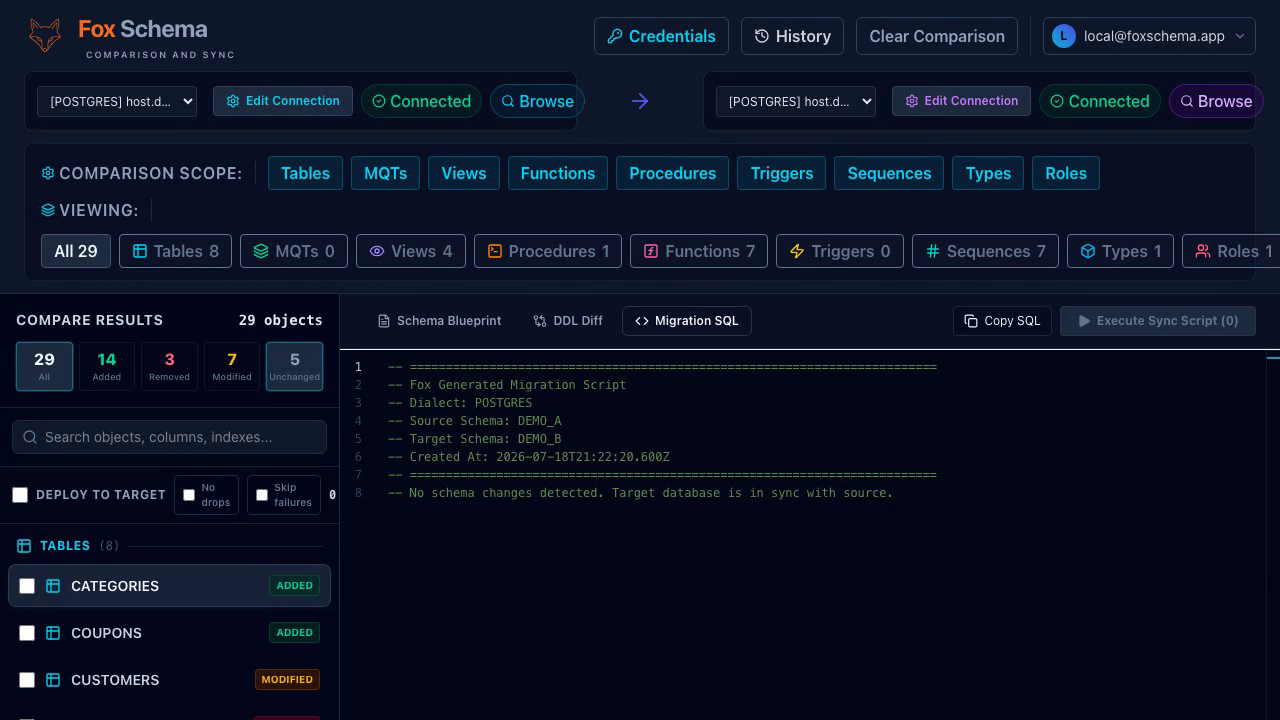
The safety defaults matter more than usual on a cross-engine move: migrations are dry-run by default so you read the DDL before anything executes, a snapshot is taken before changes are applied, and skip-on-error lets a long script continue past a single failing statement. The same approach applies in reverse — see our guides on Oracle to PostgreSQL and SQL Server to PostgreSQL, or the overview of cross-dialect schema migration.
Ready to scope your own migration? Install the FoxSchema CLI with npm or Homebrew, or run the self-hosted web app in Docker using the self-hosting guide.
