
FoxScript is the language behind FoxSchema's SQL Editor: SQL-first, with embedded JavaScript, TypeScript, or Node blocks for the parts a query alone can't express. It's not a separate tool you install — it's what you're writing the moment you open a buffer in the SQL Editor.
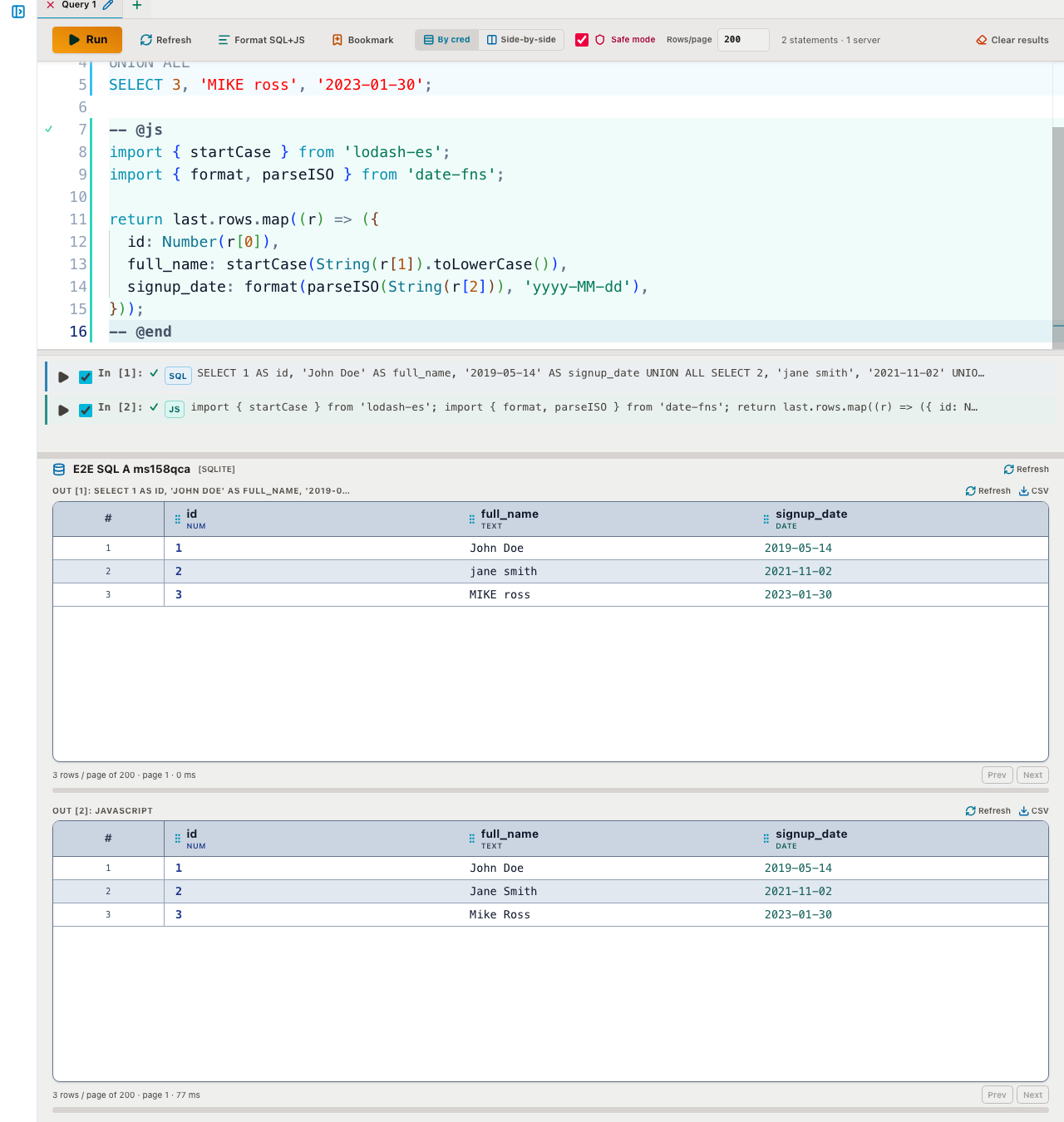
SQL first, code where you need it
A FoxScript document is plain SQL by default. When you need a transform, a loop, or an API call, you fence a block instead of leaving the buffer:
-- @js/-- @ts…-- @end— runs in your browser tab-- @node/-- @nodets…-- @end— runs on the FoxSchema server, and gets asqltagged template bound to the run's credential
SQL statements and code blocks sit in the same buffer, run in sequence, and each block gets last (the previous statement's result grid) and vars (your Variables, including secrets). A block must return either { columns, rows } or an array of plain objects:
SELECT id, email FROM user;

-- @js
import _ from 'lodash';

function doubleRow(r) {
  return { id: r[0], name: r[1], n: Number(r[0]) * 2 };
}
return _.map(last.rows, doubleRow);
-- @end
Editor support, not just execution
Because FoxScript is a real document model — parsed into SQL and code blocks with structural diagnostics — the editor can do more than run it top to bottom:
- Statement strip — enable or disable individual statements before Run without deleting them
- Run selection — select any text and Run executes only that (variables still expand)
- Schema-aware autocomplete — the editor uses the checked connections' schemas, and clicking an object in the schema explorer inserts it at the cursor
- Format — pretty-print the buffer in place
Bind parameters, not string concatenation
Inside a -- @node block, the sql template tag turns interpolated values into real bind parameters instead of text pasted into the query:
-- @node
const rows = [
  { id: 2, email: "o'brien@x.com", note: null },
  { id: 3, email: 'ada@x.com', note: 'new' },
];
await sql`INSERT INTO ${sql.id('accounts')} ${sql.values(rows)}`;
return await sql`SELECT id, email FROM accounts WHERE id IN ${[2, 3]}`;
-- @end
${value} becomes one bind parameter, ${[a, b]} becomes an IN list, sql.values(rows) expands an insert, and sql.id(...) quotes an identifier. Only sql.raw(text) is unescaped, so use it deliberately. Safe mode still applies to code blocks — a write or DDL statement inside a cell is rejected server-side until you turn Safe mode off.
What each runtime is for
Browser blocks (-- @js / -- @ts) run in your own tab and carry no special risk. Node blocks are more powerful — allowlisted imports (lodash, lodash-es, date-fns, @faker-js/faker), fetch, async/await, and direct database access via the bound sql tag — but they execute on the FoxSchema server in a worker thread. On a personal install that's the point; if you self-host FoxSchema for multiple users, treat access to -- @node blocks the same as shell access on that host.
Try it
The SQL Editor sidebar's Bookmarks → Add samples installs ready-made FoxScript scripts, including an API call with headers and a bearer token pulled from a secret variable. If you're pairing FoxScript with a schema comparison to clean up data before or after a migration, see the documentation for the full variable and code-cell reference, or install FoxSchema to try it against your own database.
